
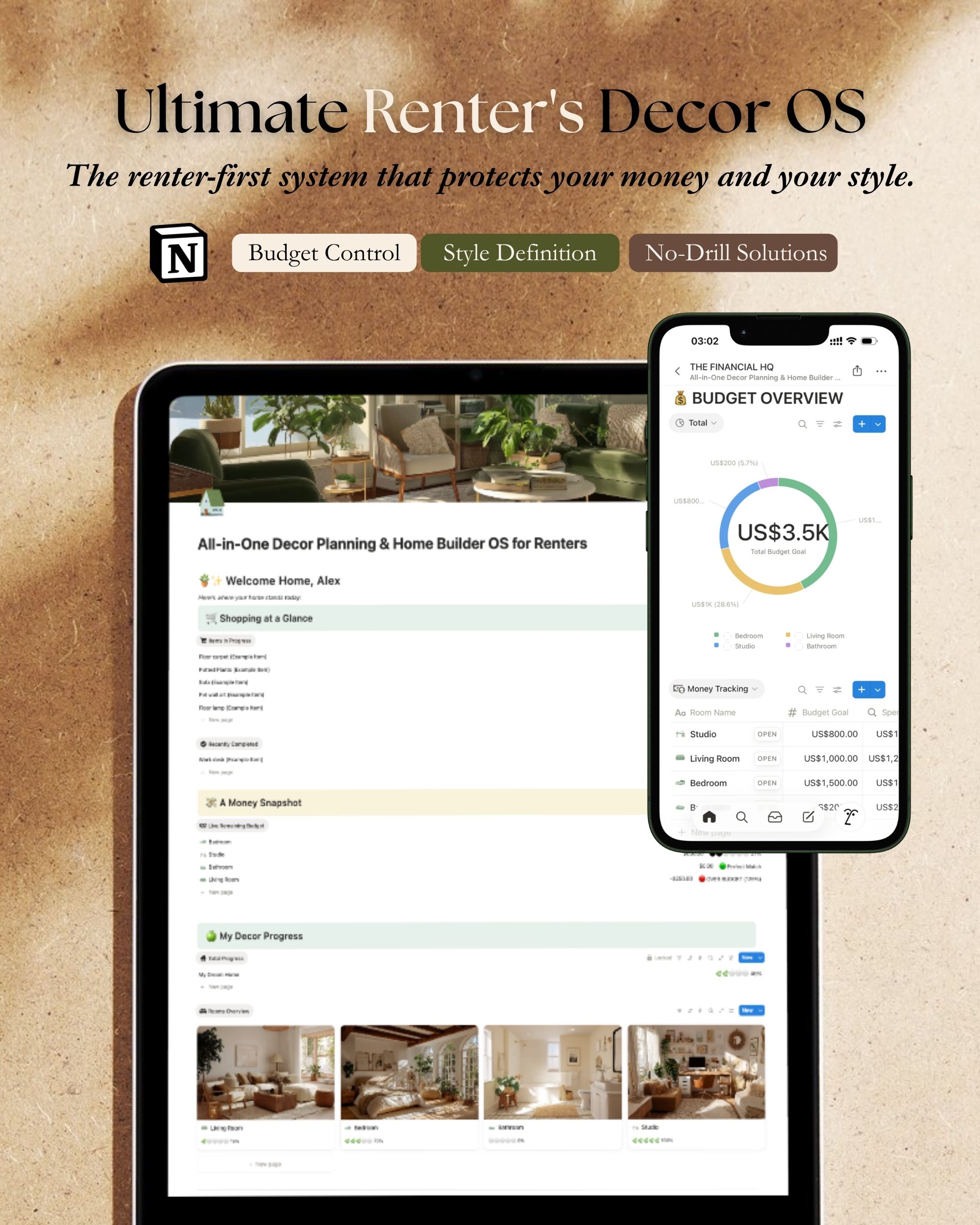
The home decor planner most renters reach for is the one they bookmark in November and re-find in March. By March, the room has moved on. The pillow saved on Pinterest is sold out. The wall measurements scribbled into the back of an old notebook turned out to be for the dining room, not the entryway, and that only surfaces after the order’s already placed. The category called “decor planner” is mostly Pinterest boards and Google Docs that don’t survive a second apartment, and naming the gap is the first honest step toward filling it.
I built the Notion-based decor operating system that lives at alexneohome.com because every system I’d tried before it broke at the same place: the moment a room transitioned from idea to bought-and-installed. The Pinterest board didn’t update itself. The spreadsheet didn’t know which paint chip was the one I’d actually used. The notes app didn’t carry budgets. Three apartments in, I gave up on adapting these tools and built the one I’d wished existed. This post is what’s inside it, who it’s for, and where it earns its $49.
Why “decor planner” usually fails
Most things called a home decor planner are reference, not system. A Pinterest board is reference. A printable mood board is reference. A list of paint chips taped to the fridge is reference. They tell you what you might want. They don’t tell you what you bought, where you put it, what it cost, what’s left in the budget, or what’s still missing in the bedroom.
The gap is between deciding and tracking, and most renters live inside it for years. Decisions get made, sometimes. Purchases happen, often badly. The only record left at the end of the month is the credit card statement. Two apartments later, when you’re trying to remember which sofa cover finally worked or which paint code didn’t go orange in evening light, the system you didn’t build leaves you re-deciding from scratch.
A planner that earns the word “system” handles four things at once: rooms (the units of work), budget (the math), buying decisions (the receipts plus the context behind them), and continuity (what survives a move). Anything that handles fewer than four of those isn’t a planner. It’s a reference tool with planner branding.
What’s inside Notion OS, in concrete terms
The Notion OS opens to a home dashboard that links into the four sections above. Each one solves the part of decorating that the loose tools don’t.
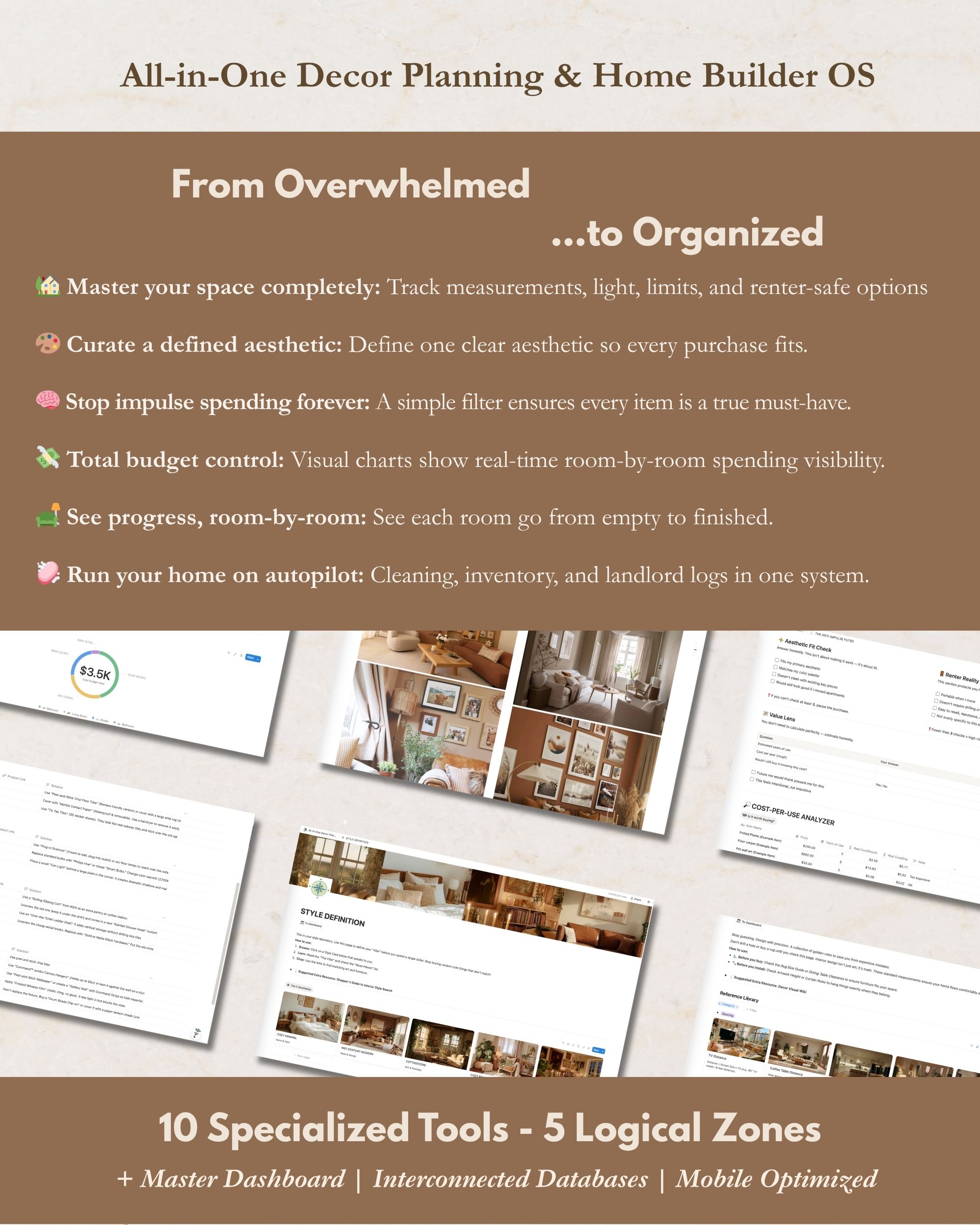
The Rooms section is the unit of work: one page per room, with sub-pages for furniture, lighting, walls, textiles, accessories. Each item carries fields for status (deciding / bought / installed / replaced), price paid, source link, and a flag for whether the item follows you out at the end of the lease. The page for a room is also where the photo references and the working color palette live, so the planning context and the buying record sit in the same place instead of in three different apps.
The Budget section is a priority-weighted view of the same data. Items roll up from the room pages into permanent vs temporary columns and into rooms, and the total spend rolls against an annual budget you set. The math is live: change the kitchen subtotal and the year-to-date moves with it. The split between permanent and temporary is what tells you, six months in, whether the apartment-specific spend has crept above the line.
The Buying Decisions section is the receipt log with context: not just what was bought, but what you almost bought, why you didn’t, and what would change your mind in a future apartment. This is the part that compounds. Three apartments later it’s the section that earns its $49 by itself, because it remembers the decisions you would otherwise have to make from zero every single move.
The Continuity section is the move-out / move-in handoff. A snapshot of what’s permanent (which is to say, what you packed), a snapshot of what’s temporary (what got given away or left for the next renter), and a fresh-room template for the next apartment that inherits the permanent inventory automatically.
The moment Notion OS earns the “I wish I’d had this” label
A specific moment. Three apartments ago, after a year of decorating, I went looking for the brand and model of a warm-toned floor lamp I’d loved enough to want a second one for the bedroom. The lamp was in the corner of a living-room photo I’d taken at month one and quietly forgotten about. The receipt was somewhere in Amazon order history, but the search returned six different lamps and I couldn’t tell which one was the match. The credit card statement showed the date, not the SKU. The Pinterest board where I’d saved the inspiration shot didn’t carry the actual buying record.
I never found the lamp. I bought a second-best version. It didn’t match.
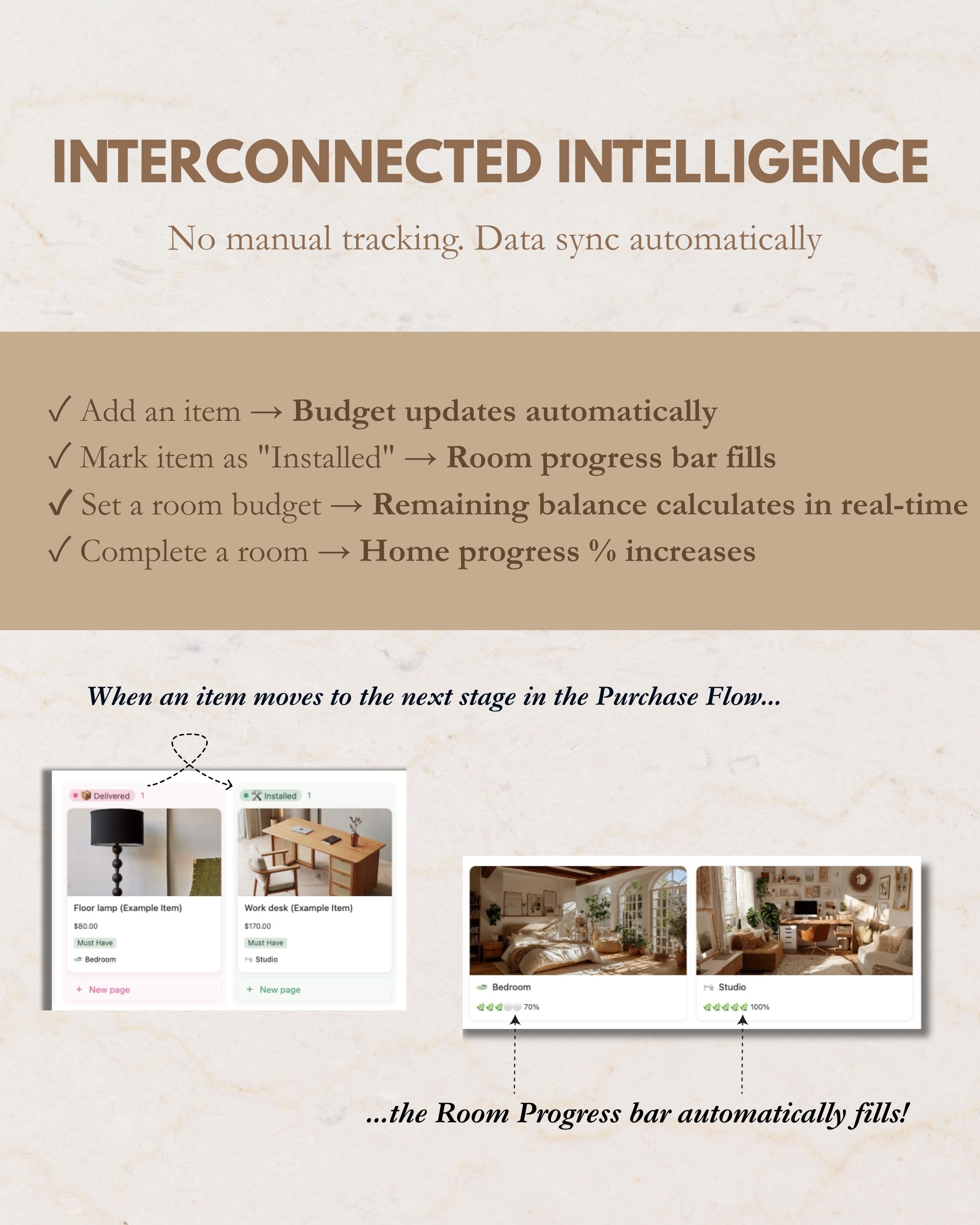
Notion OS prevents this exact failure mode. Every bought item links to the source URL, the date, the photo of the item in place, and the room it ended up in. The lamp from the living-room photo would have surfaced in eight seconds. The match would have happened. The bedroom would have inherited the standard the living room already set, instead of compromising against an item I couldn’t find. This is the home-identity layer. When the apartment starts to feel like one continuous thing instead of a sequence of independent purchases, the receipts behind it stop being history and start being structure.
Who it’s actually for (and who should pick Cozy Club instead)
The Notion OS is for the renter who already lives inside Notion. If your project notes, recipe collection, reading list, or workout plan already run on Notion, the OS slots into a stack you already understand, and the $49 is amortized across the years you’ll use it. The decor work joins the same operating environment as the rest of your life, instead of asking you to learn a new tool for a problem that only shows up four times a year.
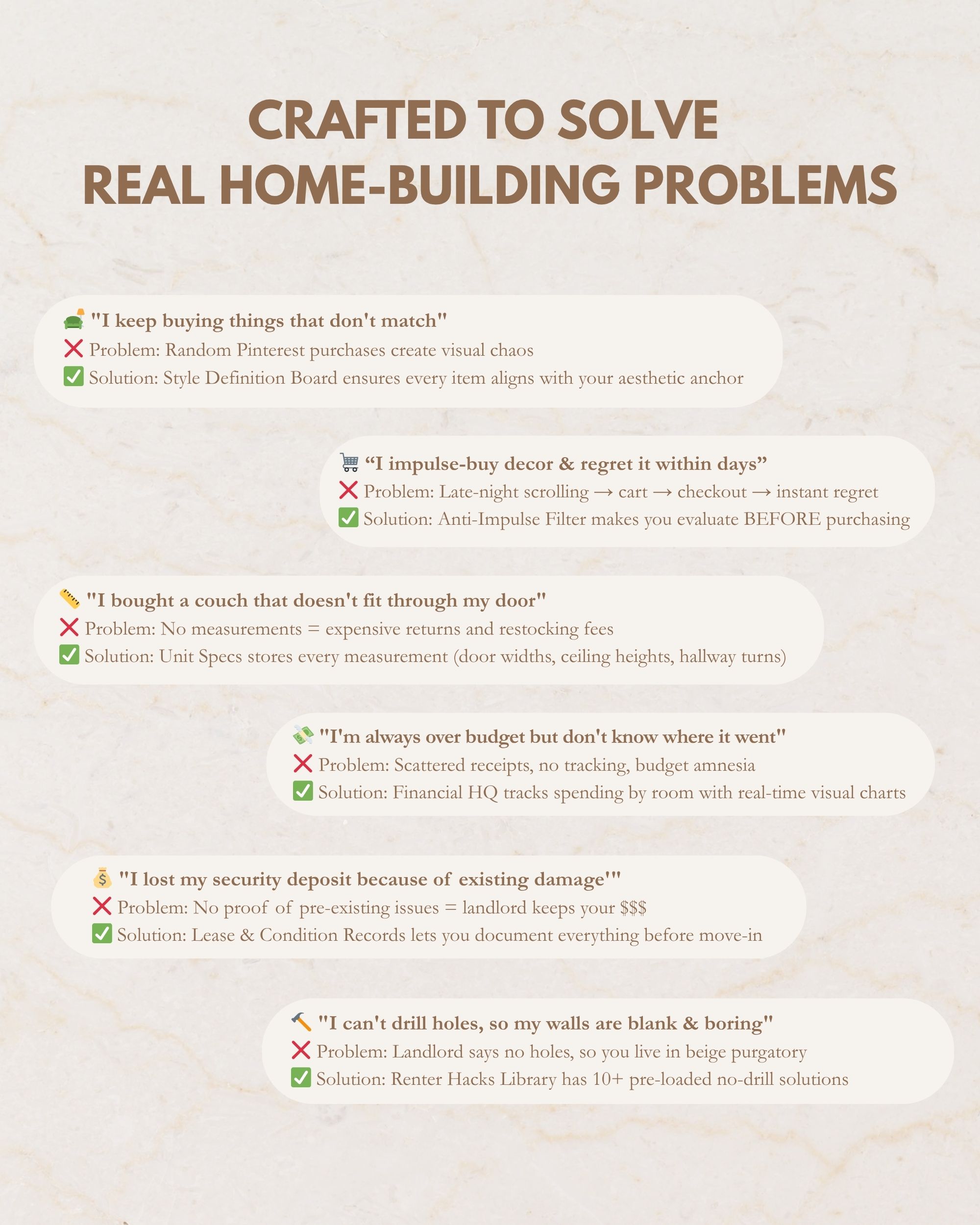
If Notion is foreign to you, the OS is over-engineered relative to what you actually need, and Cozy Club at $29 a year is the better fit. Cozy Club is the recurring path: the member-exclusive Smart Budget Planner web tool, a free wall-art pick every month, the four web versions of the Action Kit PDFs, early access to new collections and AI Home Studio kits. It does the system job without asking you to learn Notion first. The honest cross-reference matters here. If you don’t already live in Notion, I’d rather you take the recurring path than spend $49 on a tool whose strongest feature is that it joins a workspace you already use.