
![[AI] The Interior Advisor & Action Kit — Designer Consultation](https://alexneohome.com/wp-content/uploads/2026/08/v2_Interior-advisor_1-500x625.png "v2_Interior advisor_1")
![[AI] The Interior Advisor & Action Kit — Designer Consultation](https://alexneohome.com/wp-content/uploads/2026/08/v2_Interior-advisor_2-500x625.png "v2_Interior advisor_2")
![[AI] The Interior Advisor & Action Kit — Designer Consultation](https://alexneohome.com/wp-content/uploads/2026/08/v2_Interior-advisor_3-500x625.png "v2_Interior advisor_3")
![[AI] The Interior Advisor & Action Kit — Designer Consultation](https://alexneohome.com/wp-content/uploads/2026/08/v2_Interior-advisor_4-500x625.png "v2_Interior advisor_4")
![[AI] The Interior Advisor & Action Kit — Designer Consultation](https://alexneohome.com/wp-content/uploads/2026/08/v2_Interior-advisor_5-500x625.png "v2_Interior advisor_5")
![[AI] The Interior Advisor & Action Kit — Designer Consultation](https://alexneohome.com/wp-content/uploads/2026/08/v2_Interior-advisor_6-500x625.png "v2_Interior advisor_6")
![[AI] The Interior Advisor & Action Kit — Designer Consultation](https://alexneohome.com/wp-content/uploads/2026/08/v2_Interior-advisor_7-500x625.png "v2_Interior advisor_7")
![[AI] The Interior Advisor & Action Kit — Designer Consultation](https://alexneohome.com/wp-content/uploads/2026/08/v2_Interior-advisor_8-500x625.png "v2_Interior advisor_8")
![[AI] The Interior Advisor & Action Kit — Designer Consultation](https://alexneohome.com/wp-content/uploads/2026/08/v2_Interior-advisor_9-500x625.png "v2_Interior advisor_9")
![[AI] The Interior Advisor & Action Kit — Designer Consultation](https://alexneohome.com/wp-content/uploads/2026/08/v2_Interior-advisor_10-500x625.png "v2_Interior advisor_10")
![[AI] The Interior Advisor & Action Kit — Designer Consultation](https://alexneohome.com/wp-content/uploads/2026/08/v2_Interior-advisor_1-100x100.png "v2_Interior advisor_1")
![[AI] The Interior Advisor & Action Kit — Designer Consultation](https://alexneohome.com/wp-content/uploads/2026/08/v2_Interior-advisor_2-100x100.png "v2_Interior advisor_2")
![[AI] The Interior Advisor & Action Kit — Designer Consultation](https://alexneohome.com/wp-content/uploads/2026/08/v2_Interior-advisor_3-100x100.png "v2_Interior advisor_3")
![[AI] The Interior Advisor & Action Kit — Designer Consultation](https://alexneohome.com/wp-content/uploads/2026/08/v2_Interior-advisor_4-100x100.png "v2_Interior advisor_4")
![[AI] The Interior Advisor & Action Kit — Designer Consultation](https://alexneohome.com/wp-content/uploads/2026/08/v2_Interior-advisor_5-100x100.png "v2_Interior advisor_5")
![[AI] The Interior Advisor & Action Kit — Designer Consultation](https://alexneohome.com/wp-content/uploads/2026/08/v2_Interior-advisor_6-100x100.png "v2_Interior advisor_6")
![[AI] The Interior Advisor & Action Kit — Designer Consultation](https://alexneohome.com/wp-content/uploads/2026/08/v2_Interior-advisor_7-100x100.png "v2_Interior advisor_7")
![[AI] The Interior Advisor & Action Kit — Designer Consultation](https://alexneohome.com/wp-content/uploads/2026/08/v2_Interior-advisor_8-100x100.png "v2_Interior advisor_8")
![[AI] The Interior Advisor & Action Kit — Designer Consultation](https://alexneohome.com/wp-content/uploads/2026/08/v2_Interior-advisor_9-100x100.png "v2_Interior advisor_9")
![[AI] The Interior Advisor & Action Kit — Designer Consultation](https://alexneohome.com/wp-content/uploads/2026/08/v2_Interior-advisor_10-100x100.png "v2_Interior advisor_10")
You don’t need a single fix — you need someone who’ll look at the whole room and tell you what to do, in what order, with the math worked out. The Interior Advisor & Action Kit is an AI-powered design consultation in 4 phases: it diagnoses your room, shows you mood and palette options to react to, then delivers a downloadable action kit dashboard for the whole space. A designer’s consultation, without the designer’s bill.
What you get
- Phase 1 — Room Analysis. A 6-category diagnosis (layout, lighting, color, storage, walls, textiles) with a sharp note on each — what’s working, what isn’t — written for your specific situation, not a template.
- Phase 2 — Mood & Palette Decisions. Two visual mood options to react to. Pick your direction. Then two palette options matched to your mood. Lock the palette and Claude builds around it. The decisions happen visually, not by trying to name a style.
- Phase 3 — Direction Locked. A summary artifact showing the committed mood and palette in one frame, ready to anchor the rest of the consultation.
- Phase 4 — Your Action Kit. A persistent interactive dashboard with everything you decided together — full room plan, shopping list, phased timeline, budget tracker, landlord asks if you rent. Fully editable, fully yours, downloadable as HTML with versioned saves.
How it works
- Set up your free Claude Project. Open the kit, paste the system prompt, hit send.
- Have a 15–20 minute consultation. Claude asks the right questions, you answer, then react to visual options at key decision points. Phases 1–3 happen live in chat.
- Render your action kit. Paste the final JSON output into the included HTML template — your interactive dashboard renders, ready to use while you shop and execute.
Why it’s different
Most interior design tools give you static output — a Pinterest board, a checklist, a chat that disappears. The Interior Advisor is a consultation: Claude leads, asks the right questions, and shows you visual options at the moments where you’d otherwise stall. The 4-phase structure mimics how a real designer actually works.
It’s also built around how renters live. Every phase respects damage-free constraints by default — Command strips, removable hooks, no drilling, no paint. Switch to owner mode if you want the bigger commitments.
And the architecture is built to last. Phase 4 outputs structured JSON that you paste into a pre-built HTML template — the dashboard renders consistently every time, no code drift between sessions.
The hidden bonus: this kit doubles as a deep hands-on intro to Claude. You design your whole room and walk away fluent in the AI tool that powers it. One paid kit, two new things in your hands.
Who it’s for
Use this when you want a full-room plan, not a single fix. Works for any room: bedroom, living room, studio, home office, kitchen, dining room. The right pick when you’ve outgrown one-problem kits and want the whole picture in one place — diagnosed, decided, and rendered.
Need just a refresh, move-in plan, or small-space solution? Starter tier kits cover those. Want to nail one specific element — a gallery wall, or a style-themed 7-day reset? Explorer tier kits go deeper there. Want to start free first? The Room Snapshot is the entry point for the whole AI Home Studio line.
FAQ
Do I need a Claude Pro account? Claude Pro is recommended — the multi-phase artifact rendering across the consultation works best on Pro. The free tier may hit rendering limits across phases.
How long does the full consultation take? About 15–20 minutes for the live consultation, then a few minutes to paste the JSON into the included action kit template and render the dashboard. After that, the dashboard is yours to use, edit, and revisit at any pace.
How is this different from the other Alex Neo Home kits? The Snapshot diagnoses one room. The Starter kits each solve one problem (refresh, move-in, small space). The Explorer kits go deep on one element (gallery wall, style reset). The Interior Advisor is the only kit that takes the whole room end-to-end — diagnosis, mood, palette, action kit — like hiring a designer.
![[AI] Room Snapshot — Interactive Room Diagnostic](https://alexneohome.com/wp-content/uploads/2026/08/v2_Room-Snapshot_1-300x375.png "v2_Room Snapshot_1")
![[AI] Room Refresh Planner — Interactive Plan & Budget Tracker](https://alexneohome.com/wp-content/uploads/2026/08/v2_Room-Refresh-Planner_1-300x375.png "v2_Room Refresh Planner_1")
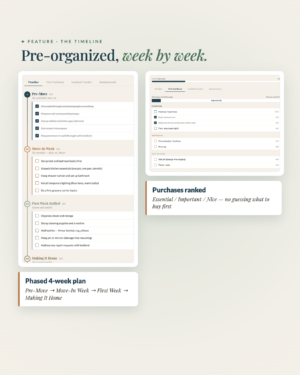
![[AI] Renter's Move-In Planner — Interactive Move-In Timeline](https://alexneohome.com/wp-content/uploads/2026/08/v2_Move-in-planner_1-300x375.png "v2_Move in planner_1")
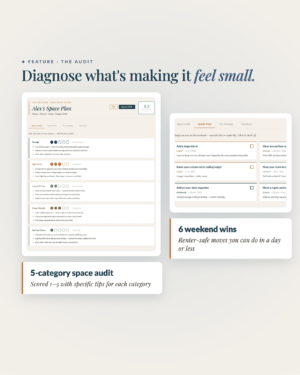
![[AI] Small Space Solver — Smart Plan for Small Apartments](https://alexneohome.com/wp-content/uploads/2026/08/v2_Small-Space-Solver_1-300x375.png "v2_Small Space Solver_1")
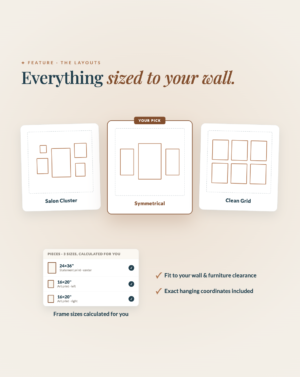
![[AI] Gallery Wall Studio — Visualized Layout Planner](https://alexneohome.com/wp-content/uploads/2026/08/v2_Gallery-Wall-Studio_1-300x377.png "v2_Gallery Wall Studio_1")
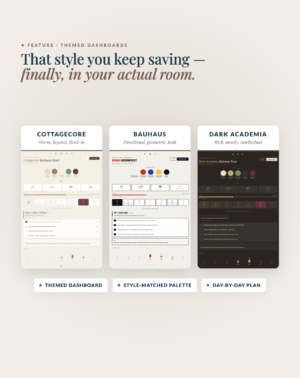
![[AI] The Room Reset — Smart 7-Day Style Plan](https://alexneohome.com/wp-content/uploads/2026/08/v2_Room-Reset_1-300x378.png "v2_Room Reset_1")
1 review for [AI] The Interior Advisor & Action Kit — Designer Consultation
There are no reviews yet.